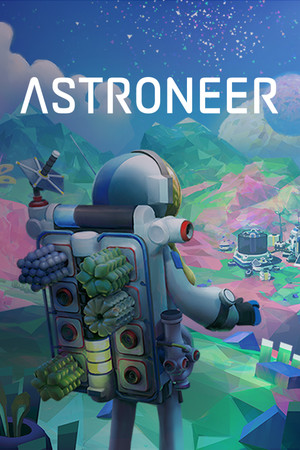
Astroneer Save File 100% – All Planets Explored + Full Research
100% complete save file for Astroneer PC. All 7 planets and moons explored (Sylva, Desolo, Calidor, Vesania, Glacio, Novus, Atrox), the complete Astropedia research catalog filled in, every Trade Platform item unlocked, the Wanderer storyline completed, and all Steam achievements unlocked.
| Game | Astroneer |
| Developer | System Era Softworks |
| Platform | PC (Steam) |
| Version | Latest (1.0 release, all free updates) |
| Completion | 100% — All Planets Explored + Full Research Catalog + All Achievements |
| Planets | All 7 explored (Sylva, Desolo, Calidor, Vesania, Glacio, Novus, Atrox) |
| Steam App ID | 361420 |
| Save Path | C:\Users\[Username]\AppData\Local\Astro\Saved\SaveGames\ |
| Save File | Sav1.savegame |
| File Size | ~8 MB (ZIP) |
| Last Updated | August 2026 |
Important: Astroneer saves are named generically (Sav1, Sav2...) rather than by profile, so double-check which slot you're overwriting in-game before copying files — back up your existing save folder first to avoid losing an unrelated playthrough.
C:\Users\[YourUsername]\AppData\Local\Astro\Saved\SaveGames\ (press Win + R, paste %localappdata%\Astro\Saved\SaveGames, hit Enter)..savegame files by copying them elsewhere..savegame file into the SaveGames folder.Save compatibility note: This save was created on the Steam/PC build. Astroneer supports cross-save with Xbox/Game Pass through Microsoft Play Anywhere, but savegame files are not directly interchangeable between platforms — this file is intended for the standalone Steam version's local save folder only.
C:\Users\[Username]\AppData\Local\Astro\Saved\SaveGames\, stored as .savegame files named by slot (e.g. Sav1.savegame). Steam App ID 361420.Astroneer is a space exploration and sandbox survival game developed by System Era Softworks, released into early access in December 2016 and reaching full 1.0 release in February 2019. Set in a colorful, low-poly 25th-century solar system, players control an Astroneer exploring and reshaping planets using a signature terrain-deformation tool, gathering resources to build bases, vehicles, and increasingly advanced technology while uncovering the mystery of an ancient, planet-spanning "core" network.
The game's core identity is its terrain manipulation: nearly every surface can be dug into, flattened, or built up using the Terrain Tool, letting players carve tunnels, ramps, and entire underground bases by hand. Progression is driven by research — scanning items at research chambers or the in-game Astropedia unlocks new blueprints — and by exploring outward from the starting planet, Sylva, to increasingly hazardous worlds like the acid-rain moon Calidor or the frozen, storm-wracked Glacio, each with unique resources needed to unlock late-game technology.
Astroneer supports up to 8-player online co-op, and its friendly, low-stakes tone (there's no real fail state beyond a temporary setback) has made it a popular pick for casual multiplayer sessions. Full completion means visiting all seven planets and moons, filling out the entire Astropedia research catalog, unlocking every EXO Request Platform reward, and finishing the Wanderer storyline woven through each planet's deep core — typically a 40-70 hour undertaking when played legitimately from a fresh start.