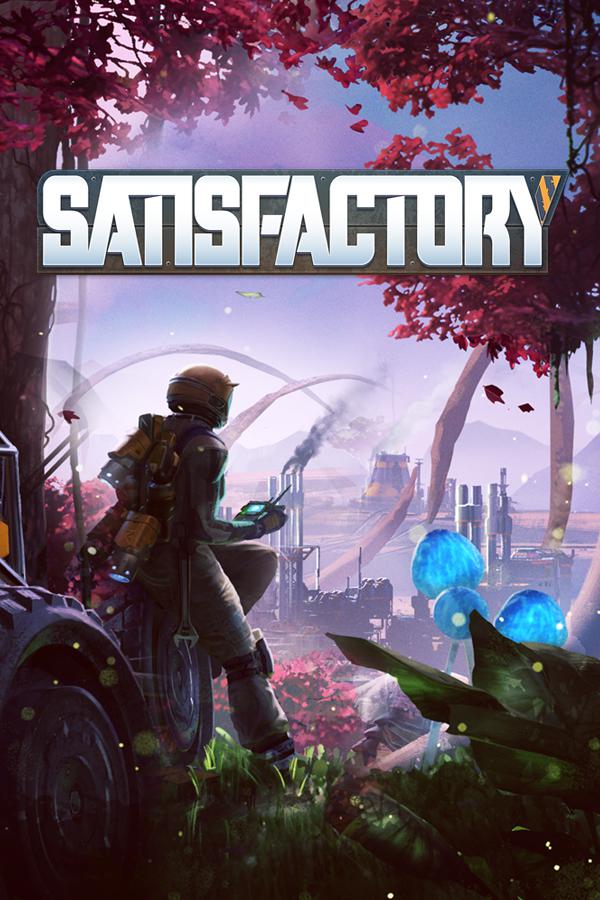
Satisfactory

Satisfactory Save File 100% – Tier 9 Space Elevator + All Milestones + Full Map Explored

Verified & Safe PC (Steam / Epic) Updated May 2026 1.0 Release

100% complete save file for Satisfactory PC (1.0 release). Every milestone through Tier 9 unlocked, Space Elevator Phase 5 finished, all alt recipes researched from Hard Drives and the MAM, full map explored with every resource node surveyed, sprawling multi-factory base with maxed production chains, all Steam achievements unlocked.

Save File Details
GameSatisfactory
DeveloperCoffee Stain Studios
PlatformPC (Steam / Epic Games)
Version1.0 (latest)
Completion100% — All Milestones + Tier 9 + Full Map
MilestonesAll tiers 0–9 completed
Steam App ID526870
Save PathC:\Users\[Username]\AppData\Local\FactoryGame\Saved\SaveGames\common\
Save File[SaveName].sav + .savs backup
File Size~85 MB (ZIP)
Last UpdatedMay 2026
What's Included
All milestones Tier 0 through Tier 9 unlocked
Space Elevator Phase 1–5 fully complete
Every alt recipe researched (MAM + Hard Drives)
All Hard Drives collected and decoded
Full map explored, all resource nodes surveyed
All Mercer Spheres and Somersloops collected
Multi-factory base with maxed production lines
All power infrastructure (Nuclear + Geothermal)
Vehicle network (trains, trucks, drones) built out
All Awesome Shop purchases unlocked
All Field Research and Resource Sink Coupons
All Steam/Epic achievements unlocked
satisfactory-100-save.zip ~85 MB .sav file included Virus-free verified
How to Install

Important: Satisfactory saves are tied to a specific save slot name and session, not an account ID, so there's no ID-matching step — but you should still back up your existing save before overwriting it, and disable cloud sync (Steam Cloud / Epic Cloud Saves) first to avoid it re-syncing your old save over the new one.

1
In Steam, right-click Satisfactory → Properties → General (or Epic Games Launcher settings) → disable cloud save sync for the game.
2
Navigate to your save folder: C:\Users\[YourUsername]\AppData\Local\FactoryGame\Saved\SaveGames\common\ (paste into Windows Explorer, or press Win + R and type %localappdata%\FactoryGame\Saved\SaveGames\common)
3
Backup your existing .sav/.savs files by copying the whole folder to your desktop first.
4
Download and extract the .zip file. Copy the extracted .sav file(s) into the common folder.
5
Launch Satisfactory, go to Load Game, and select the imported save from the list (it will appear with its saved name).
6
Confirm progress loaded correctly — Tier 9 milestones, full map fog-of-war cleared, and factories in place. Ficsit welcomes you back, Pioneer.

Save file naming: Satisfactory identifies saves by the name embedded in the .sav file itself (shown in the in-game Load Game menu) rather than a Steam ID prefix, so you don't need to rename anything to match your account — just drop the file into the SaveGames\common folder and it will show up as a new save slot. The save contains full world state: unlocked milestones and alt recipes, MAM research tree, factory building placement and connections, power grid, vehicle paths, and all collected Hard Drives/Mercer Spheres/Somersloops.

Frequently Asked Questions
Is this Satisfactory save file safe to use?
Yes. Satisfactory is a singleplayer/co-op factory-building game with no PvP or competitive leaderboard tied to save data, no anti-cheat, and no server-side validation of world state. Dropping in a save file only affects your local game and carries no risk to your Steam or Epic account.
Where is the Satisfactory save file location on PC?
Saves are stored at C:\\Users\\[Username]\\AppData\\Local\\FactoryGame\\Saved\\SaveGames\\common\\ as .sav files (with matching .savs backup/session files). Steam App ID 526870.
Are all milestones and Tier 9 unlocked?
Yes. Every milestone from Tier 0 through Tier 9 is completed, including the full Space Elevator Phase 1–5 sequence needed to finish the game's main progression track. All unlocked buildings, belts, and production machines that come with those milestones are already available in the save.
What are alt recipes and are they all unlocked?
Alt recipes are alternate crafting recipes discovered by scanning Hard Drives found around the map and researching them through the MAM (Molecular Analysis Machine). This save has every alt recipe in the game already researched, giving you access to more efficient production chains without needing to hunt down Hard Drives yourself.
Is the whole map explored?
Yes. Fog of war is fully cleared across the entire map, every resource node has been surveyed with a Resource Scanner, and all Mercer Spheres and Somersloops (used for the Awesome Shop and Power Slugs progression) have been collected.
Will this work with the 1.0 release version?
Yes, the save is built on and fully compatible with Satisfactory's 1.0 full release. If you're on an Experimental branch build, switch to the Early Access/Stable branch in Steam Properties first, since save formats can differ slightly between branches.
Can I keep playing and building after loading this save?
Absolutely. This gives you a fully unlocked tech tree and an established factory base as your new starting point — you can keep expanding production, build out new factories, and pursue higher AWESOME Sink coupon tiers exactly as if you'd built it all yourself.
Does this work for multiplayer/co-op sessions?
This is a singleplayer save file. To use it in a dedicated multiplayer server, you'd need to import the save into your dedicated server's save folder instead (the process is similar) — check the Satisfactory dedicated server documentation for the exact server-side save path, which differs from the singleplayer client path listed here.
About Satisfactory

Satisfactory is a first-person open-world factory-building game developed by Coffee Stain Studios, released into 1.0 full release in 2025 after several years in Early Access. Players crash-land on an alien planet as a FICSIT Pioneer and are tasked with building increasingly complex automated factories — starting from simple iron and copper smelting, escalating through hundreds of intermediate parts, and culminating in launching a Space Elevator to ship components back to headquarters. The game can be played solo or in co-op with up to 4 players sharing a persistent save.

Progression runs through a Milestone and Tier system: unlocking new buildings, conveyor belt tiers, and vehicles by spending resources at each Tier's HUB terminal, while Space Elevator Phases mark the game's major overarching goals. Alongside the linear Milestone track sits the MAM (Molecular Analysis Machine) research system, which unlocks alternate recipes by scanning Hard Drives scattered across the map — these alt recipes are essential for building efficient, low-footprint late-game factories.

The game's signature appeal is its open-ended factory optimization: there's no single 'correct' way to route belts, balance production ratios, or lay out a base, and reaching 100% completion means having explored the entire map, researched every alt recipe, built infrastructure for Nuclear and Geothermal power, and completed the full Space Elevator sequence through Tier 9 — a project that easily takes 150-300+ hours for a completionist playthrough.

Related Save Files