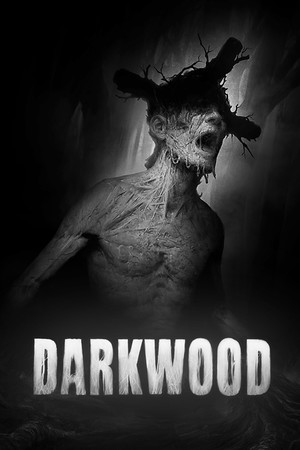
Darkwood Save File 100% – All Chapters + Endings
Complete save file for Darkwood on PC. The Stranger has survived every night in the forest — both chapters and the epilogue are finished, every ending is reached, the workbench is fully upgraded, all skills are unlocked and the hideout is stocked with weapons and supplies.
| Game | Darkwood |
| Platform | PC (Steam) |
| Steam App ID | 274520 |
| Completion | 100% — All Chapters + Endings |
| Game Version | Latest |
| File Format | Unity save data |
| File Size | 1 MB (ZIP) |
| Saves Included | Completed run + late-game save per chapter |
| Last Updated | November 1, 2026 |
Important: Back up your current save files before replacing them, and disable Steam Cloud for Darkwood temporarily so it does not restore your old progress.
C:\Users\[Name]\AppData\LocalLow\Acid Wizard Studio\DARKWOOD\DARKWOOD folder by copying it elsewhere.DARKWOOD and overwrite when prompted.The AppData folder is hidden by default. Paste %USERPROFILE%\AppData\LocalLow\Acid Wizard Studio\DARKWOOD into the File Explorer address bar to open it directly.
C:\Users\[Name]\AppData\LocalLow\Acid Wizard Studio\DARKWOOD\LocalLow\Acid Wizard Studio\DARKWOOD folder, so the same files work.~/Library/Application Support/Acid Wizard Studio/DARKWOOD/, on Linux use ~/.config/unity3d/Acid Wizard Studio/DARKWOOD/.Darkwood is a top-down survival horror game from the Polish studio Acid Wizard, released in full in 2017 after a long early access. You are trapped in a forest somewhere in the Soviet bloc that has started to grow over the roads and swallow everything around it. The people who stayed behind have changed, and not for the better.
Days are for exploring: you scavenge the woods for parts, trade with strange locals and craft weapons and traps at your workbench. Nights are for survival. You barricade your hideout, set traps, turn on the generator and wait in the dark while something tries to get in. Your view is limited to a cone of vision, so you often hear things long before you see them.
The game has no hand-holding and no hints, and the choices you make change how the story ends. This save gives you both chapters and the epilogue finished, every ending and a fully upgraded hideout.