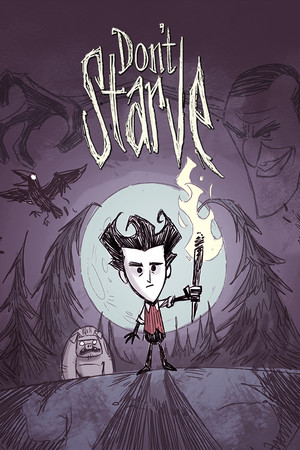
Don't Starve Save File 100% – All Characters + Adventure Mode
Completed save file for Don't Starve on PC. Every character is unlocked, including Wes and Maxwell, Adventure Mode has been beaten through all five of Maxwell's worlds, and the Sandbox world is a 200+ day run with every recipe prototyped and a fully stocked, farm-supported base.
| Game | Don't Starve |
| Platform | PC (Steam) |
| Steam App ID | 219740 |
| Completion | 100% — All Characters + Adventure Mode |
| Game Version | Latest |
| File Format | Klei save data (saveindex + survival slot files) |
| File Size | 3 MB (ZIP) |
| Saves Included | 200+ day Sandbox world + Fresh Adventure-ready profile |
| Last Updated | October 11, 2026 |
Important: Back up your save folder first. This page is for the original single-player Don't Starve — Don't Starve Together uses a different folder and format and is covered on its own page.
%USERPROFILE%\Documents\Klei\DoNotStarve\ and press Enter.save folder by copying it elsewhere.save folder with the one from the ZIP.The save is made on the base game world. If you own Reign of Giants, Shipwrecked or Hamlet, those use separate world slots — your unlocked characters still carry over to them.
%USERPROFILE%\Documents\Klei\DoNotStarve\save\ (usually C:\Users\[YourName]\Documents\Klei\DoNotStarve\save\).DoNotStarveTogether) with a different format. See our separate Don't Starve Together page.Don't Starve is a wilderness survival game developed and published by Klei Entertainment in 2013. Players are dropped into a strange, hostile world by the demon Maxwell and must gather, craft and fight to survive as long as possible.
Its distinctive hand-drawn, gothic art style hides a brutally difficult game: hunger, sanity, seasons and night-time darkness all threaten your run, and death is permanent unless you have prepared resurrection items.
Unlocking every character, beating Adventure Mode and building a self-sufficient base takes many hours and many failed runs. This save hands you all of that at once, ready for new seasons, Ruins dives or experimentation.