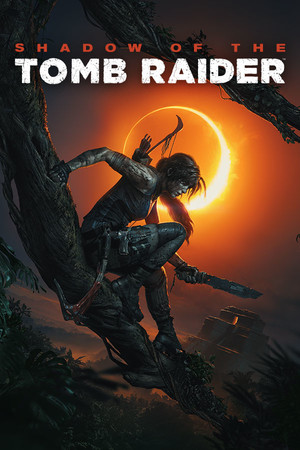
Shadow of the Tomb Raider Save File 100%
Completed save file for Shadow of the Tomb Raider Definitive Edition on PC. Lara's final chapter of the Survivor trilogy is finished, and the jungles of Peru and the hidden city of Paititi are at 100%: all challenge tombs and crypts are cleared, every document, relic, mural, monolith and survival cache is found, and every side mission is done. All skills are learned, every weapon and outfit is unlocked and upgraded, and all seven DLC tombs — The Forge, The Pillar, The Nightmare, The Price of Survival, The Serpent's Heart, The Grand Caiman and The Path Home — are completed.
| Game | Shadow of the Tomb Raider |
| Platform | PC (Steam) |
| Steam App ID | 750920 |
| Completion | 100% — Story + All Tombs + All 7 DLC |
| Game Version | Latest |
| File Format | Steam Cloud remote save |
| File Size | 4 MB (ZIP) |
| Saves Included | 100% post-game save + DLC tomb progress |
| Last Updated | October 20, 2026 |
Important: Shadow of the Tomb Raider stores saves in Steam's userdata folder and syncs them through Steam Cloud. Disable Steam Cloud and back up the remote folder first, or Steam will restore your old progress.
C:\Program Files (x86)\Steam\userdata and go into the folder named after your Steam user ID.750920\remote and back up everything inside it.remote folder and confirm overwrite.If you have more than one Steam account on this PC, there will be more than one numbered folder in userdata. Pick the one that already contains a 750920 folder.
<Steam folder>\userdata\<user-id>\750920\remote\.Shadow of the Tomb Raider is the 2018 conclusion of the Survivor trilogy, developed by Eidos-Montréal with Crystal Dynamics. After Lara accidentally triggers a Maya apocalypse, she races Trinity through Mexico and the jungles of Peru to the hidden city of Paititi.
It is the most tomb-focused entry of the trilogy, with large challenge tombs built around traversal and puzzles, underwater exploration, and a stealth system that lets Lara blend into mud and foliage. Paititi works as a living hub with side quests, merchants and secrets of its own.
Collecting everything and finishing every DLC tomb takes a long time. This save has the full Definitive Edition at 100%, perfect for New Game+ or simply exploring the jungle at your own pace.