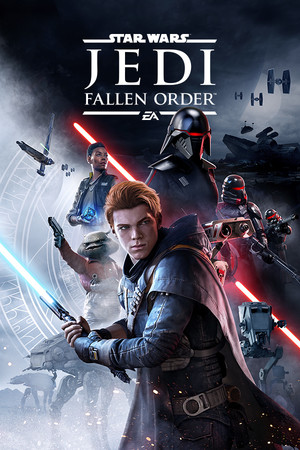
Star Wars Jedi: Fallen Order Save File 100% – All Skills + All Chests + All Poncho Colors
100% complete save file for Star Wars Jedi: Fallen Order PC. All Force and lightsaber skills fully upgraded, every chest opened across Bogano, Zeffo, Kashyyyk, Dathomir, and Ilum, all lightsaber parts and color crystals unlocked, every BD-1 skin and poncho color, complete Databank, all Steam achievements unlocked.
| Game | Star Wars Jedi: Fallen Order |
| Developer | Respawn Entertainment |
| Platform | PC (Steam) |
| Version | Latest Steam build |
| Completion | 100% — All Skills + All Chests + All Cosmetics |
| Story Progress | Post-game, all planets fully explored |
| Steam App ID | 1172380 |
| Save Path | C:\Users\[Username]\AppData\Local\SwGame\Saved\SaveGames\ |
| Save File | Slot1.sav (profile slot save) |
| File Size | ~3 MB (ZIP) |
| Last Updated | August 2026 |
Important: Back up your existing save folder before overwriting anything. If you have multiple save slots, make sure you replace the correct slot file so you don't lose an unrelated playthrough.
C:\Users\[YourUsername]\AppData\Local\SwGame\Saved\SaveGames\ (paste into Windows Explorer or press Win + R and type %localappdata%\SwGame\Saved\SaveGames).sav file into your SaveGames folder, replacing the old one (or placing it into an empty slot).Save format: Fallen Order stores each profile slot as its own .sav file, not tied to your Steam ID like some Unreal Engine games, so no renaming with an account number is required. The save contains full skill tree data, chest and collectible flags, cosmetic unlocks, and story progress markers for every planet.
C:\Users\[Username]\AppData\Local\SwGame\Saved\SaveGames\. Each profile slot has its own .sav file, for example Slot1.sav. Steam App ID 1172380.Star Wars Jedi: Fallen Order is a single-player action-adventure game developed by Respawn Entertainment and published by Electronic Arts, released in November 2019. Set five years after Star Wars: Episode III – Revenge of the Sith, it follows Cal Kestis, a young Padawan hiding from the Empire's Inquisitors, as he attempts to rebuild the Jedi Order alongside a crew aboard the starship Mantis. The game blends Metroidvania-style exploration with Soulslike combat, drawing clear inspiration from titles like Dark Souls and Sekiro while filtering them through a lightsaber-and-Force-powers lens.
Combat centers on a stance-based lightsaber system that rewards parrying and precise dodges, paired with Force powers like Push, Pull, and Slow that double as both combat tools and traversal puzzle solutions. Cal's droid companion BD-1 assists with scanning, healing stims, and later a grappling hook, while progression is handled through a skill-point system rather than gear stats — every ability is earned through experience gained from combat and exploration rather than loot drops. The five main planets (Bogano, Zeffo, Kashyyyk, Dathomir, and Ilum) are each semi-open hubs packed with collectible chests, lore entries, and shortcuts that open up as new abilities are acquired.
100% completion means fully maxing all three skill trees, opening every chest across every planet (many requiring late-game traversal abilities to reach), collecting every lightsaber part and color crystal, unlocking all BD-1 skins and poncho colors, and filling out the complete in-game Databank of enemy, planet, and lore entries. A completionist playthrough typically runs 25-35 hours, considerably longer than the roughly 15-hour main story, due to the amount of backtracking required to reach previously-inaccessible areas. The game was followed by a direct sequel, Star Wars Jedi: Survivor, in 2023.