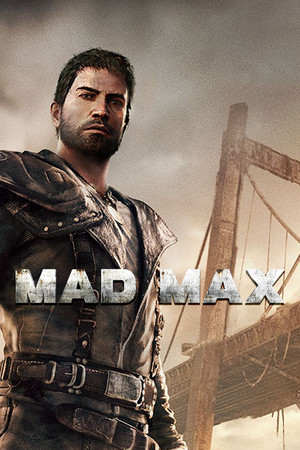
Mad Max Save File 100%
Completed save file for Mad Max on PC. Max has finished the story and wiped Scabrous Scrotus' grip off the wasteland: every territory in Jeet's, Gutgash's, Pink Eye's and Deep Friah's regions has its threat reduced to zero, every camp, scarecrow, sniper, minefield and convoy is destroyed, and all Stronghold projects are built. Max's skills are fully upgraded through Griffa, and the Magnum Opus has every engine, armor, ram, harpoon and Thunderpoon upgrade unlocked.
| Game | Mad Max |
| Platform | PC (Steam) |
| Steam App ID | 234140 |
| Completion | 100% — Story + All Territories + All Upgrades |
| Game Version | Latest (1.0.3.0) |
| File Format | .sav |
| File Size | 2 MB (ZIP) |
| Saves Included | 1 fully completed profile |
| Last Updated | October 20, 2026 |
Important: Mad Max on Steam syncs its saves through Steam Cloud. Right-click Mad Max in your Steam Library → Properties → General and turn off Steam Cloud before copying the files, and back up your existing saves first.
C:\Program Files (x86)\Steam\userdata\<steam-user-id>\234140\remote\ and back up its contents.GameSave*.sav files into that folder and confirm overwrite.%USERPROFILE%\Documents\WB Games\Mad Max\Backup Saves\ so the game does not restore an older backup.Mad Max uses 10 rotating autosave slots. If the game loads an older slot, open Load Game and pick the most recent completed save.
C:\Program Files (x86)\Steam\userdata\<steam-user-id>\234140\remote\, with a backup copy in %USERPROFILE%\Documents\WB Games\Mad Max\Backup Saves\.remote folder and the Backup Saves folder.Mad Max is an open-world vehicular action game from Avalanche Studios, released in 2015 alongside the film Mad Max: Fury Road. You play as Max Rockatansky, who teams up with the hunchbacked mechanic Chumbucket to build the ultimate car — the Magnum Opus — and take revenge on Scabrous Scrotus.
The game splits its time between brutal Arkham-style melee brawling on foot and car combat across a vast post-apocalyptic desert, ramming convoys, harpooning War Boys out of their vehicles and tearing down enemy structures. Every camp and scarecrow you destroy lowers a region's threat and unlocks new upgrades.
Clearing every territory and fully upgrading the Magnum Opus means hours of scrap grinding. This save puts you behind the wheel of a finished car in a wasteland already brought to heel.