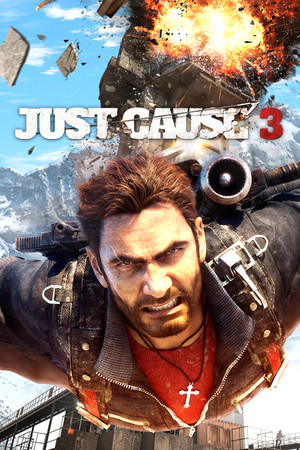
Just Cause 3 Save File 100%
Completed save file for Just Cause 3 on PC. Rico Rodriguez has toppled General Di Ravello, every settlement, outpost and military base across Insula Fonte, Insula Dracon and Insula Striate has been liberated, and every challenge has been run for its full set of gears — so every mod in the grapple, parachute, wingsuit and explosives trees is unlocked. All rebel shrines, Di Ravello tapes and tomb collectibles are found, and the Sky Fortress, Mech Land Assault and Bavarium Sea Heist DLC campaigns are done.
| Game | Just Cause 3 |
| Platform | PC (Steam) |
| Steam App ID | 225540 |
| Completion | 100% — Story + All Provinces + All Gears + DLC |
| Game Version | Latest (XXL Edition compatible) |
| File Format | Just Cause 3 save slot files |
| File Size | 6 MB (ZIP) |
| Saves Included | 1 fully completed profile |
| Last Updated | October 18, 2026 |
Important: Back up the contents of your Saves folder before replacing anything, and disable Steam Cloud for Just Cause 3 — cloud sync was added to the game in late 2025 and will otherwise restore your old progress.
%USERPROFILE%\Documents\Square Enix\Just Cause 3\Saves and hit Enter.If the Saves folder does not exist yet, start a new game and let it autosave once — the game creates the folder with your Steam ID on the first save.
%USERPROFILE%\Documents\Square Enix\Just Cause 3\Saves\<steam-id>\.Just Cause 3 is an open-world action game from Avalanche Studios, released in 2015. Rico Rodriguez returns home to the Mediterranean island nation of Medici to overthrow the dictator General Sebastiano Di Ravello — mostly by blowing up absolutely everything with his name on it.
The game revolves around its traversal sandbox: an unlimited grappling hook with tethers, a parachute that never runs out and a wingsuit that lets you glide across the whole map without touching the ground. Liberating a settlement means destroying every piece of Di Ravello's infrastructure, and each challenge you run awards gears that unlock mods for Rico's gear.
Grinding out gold gears in every challenge and liberating hundreds of locations takes dozens of hours. This save hands you a fully liberated Medici with every mod unlocked, so you can jump straight into pure, consequence-free chaos.