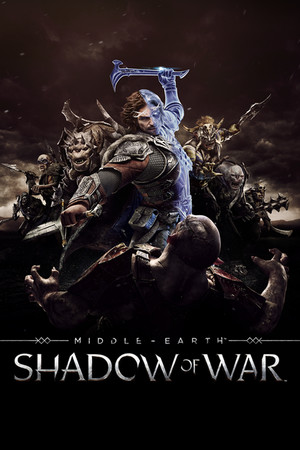
Middle-earth: Shadow of War Save File 100% – 100% Story + All Nemesis Unlocks + All DLC
100% complete save file for Middle-earth: Shadow of War PC (Definitive Edition). The full main story is completed, every fortress across all regions is conquered, the Shadow Wars epilogue is finished, all DLC content is completed, all skills and legendary gear are maxed, and every Steam achievement is unlocked.
| Game | Middle-earth: Shadow of War (Definitive Edition) |
| Developer | Monolith Productions |
| Platform | PC (Steam) |
| Version | Definitive Edition (includes all DLC) |
| Completion | 100% — Story + Shadow Wars + All DLC |
| Steam App ID | 356190 |
| Save Path | C:\Users\[Username]\AppData\Local\WB Games\Shadow of War\ |
| Save File | [SteamID]_ShadowOfWar.sav |
| File Size | ~10 MB (ZIP) |
| Last Updated | August 2026 |
Important: The save file is named with your unique Steam ID prefix. You must rename the downloaded file to match your existing save file name exactly, or the game will not recognize it. Back up your existing save first.
%localappdata%\WB Games\Shadow of War\ (paste into Windows Explorer).12345678_ShadowOfWar.sav. Note the number prefix, this is your Steam ID..sav file by copying it to your desktop..sav file to match your Steam ID prefix exactly.Shadow of War folder, replacing the old one.Steam ID naming: Shadow of War ties its save file to your unique Steam account ID. The game ignores any save that doesn't have the correct prefix. Check your existing save file name in the WB Games\Shadow of War folder before renaming the downloaded file.
Middle-earth: Shadow of War is an open-world action RPG developed by Monolith Productions, released in October 2017 as the sequel to Shadow of Mordor. Players control Talion and the wraith Celebrimbor as they forge a new Ring of Power and wage war against Sauron's forces across a larger, more varied Mordor, building an army of orc followers along the way.
The game's signature feature, the Nemesis System, generates persistent, personality-driven orc captains and warlords who remember encounters with the player, rise through the ranks, and can become recurring rivals or, once dominated, loyal followers. The endgame Fortress Siege system layers large-scale army-vs-army sieges on top of this personal rivalry structure.
Shadow of War launched with a controversial loot box microtransaction system that was later removed entirely, with Monolith rebalancing progression around skill and gear earned through play. The Definitive Edition bundles the base game with both story DLC expansions. Full completion requires conquering every fortress, finishing the Shadow Wars epilogue, and completing all DLC content — a lengthy commitment given the game's systemic, emergent structure.