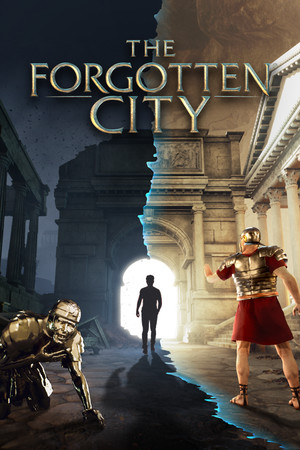
The Forgotten City Save File 100% – All Endings Unlocked
100% complete save file for The Forgotten City on PC. The Golden Rule has been unravelled — every time loop has been lived, every one of the city's 22 residents has had their story resolved, all side quests are finished and the true Golden ending is done. Separate saves sit right before each ending, so you can watch any of them without replaying the loops.
| Game | The Forgotten City |
| Platform | PC (Steam) |
| Steam App ID | 874260 |
| Completion | 100% — All Endings + All Side Quests |
| Game Version | Latest |
| File Format | Unreal Engine save game (.sav) |
| File Size | 3 MB (ZIP) |
| Saves Included | 5 saves (before each ending + post-Golden ending) |
| Last Updated | November 17, 2026 |
Important: Back up your existing SaveGames folder first. The Forgotten City uses fixed slot file names, so copying the new files will overwrite your current progress.
%LOCALAPPDATA%\ForgottenCity\Saved\SaveGames\ and press Enter.If the SaveGames folder doesn't exist yet, start a new game and play until the first autosave so the game creates it. Disable Steam Cloud temporarily if your old progress keeps reappearing after you copy the files.
C:\Users\[Name]\AppData\Local\ForgottenCity\Saved\SaveGames\The Forgotten City is a time-loop mystery adventure from Modern Storyteller, a standalone remake of the award-winning Skyrim mod. You wake up in an ancient Roman city ruled by the Golden Rule: if a single resident commits a sin, everyone is turned to gold. Each loop lets you carry knowledge forward and change how the city's 22 residents act.
Instead of combat, the game is built around conversation, investigation and puzzle-solving. Small choices ripple through the loop — a lie told to one character, a stolen item, a warning delivered at the right time — and the city's secrets slowly reveal how these people ended up trapped there and who is really enforcing the Rule.
Reaching every ending and resolving every resident's story takes careful planning across many loops. This save gives you a fully completed city with a save before each ending, ready to revisit any conclusion.