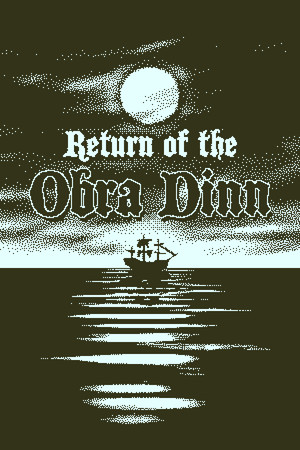
Return of the Obra Dinn Save File 100% – All 60 Fates Solved + Full Memento Mortem Book
100% complete save file for Return of the Obra Dinn PC. Every one of the 60 crew and passenger fates is correctly identified in the Memento Mortem book, all ten chapters are fully solved, and all 16 Steam achievements — including Obra Done, Captain Did It, and Abandon Ship — are unlocked.
| Game | Return of the Obra Dinn |
| Developer | Lucas Pope / 3909 LLC |
| Platform | PC (Steam) |
| Version | Latest (all patches) |
| Completion | 100% — All 60 Fates Correctly Recorded |
| Fates Solved | 60/60 (Obra Done) |
| Steam App ID | 653530 |
| Save Path | C:\Users\[Username]\AppData\LocalLow\3909\ObraDinn\ |
| Save File | Plain-text save data + Backup folder |
| File Size | ~50 KB (ZIP) |
| Last Updated | September 2026 |
Important: The Obra Dinn save format is plain text, so it's easy to overwrite by accident — back up your existing ObraDinn folder before copying anything in. Also note: this save contains every fate already solved, which spoils the entire mystery. It's meant for achievement hunters, completionists chasing "Obra Done," or players stuck near the end who want to see the finished book.
C:\Users\[YourUsername]\AppData\LocalLow\3909\ObraDinn\ (paste into Explorer, or press Win + R and type %USERPROFILE%\AppData\LocalLow\3909\ObraDinn)ObraDinn folder to your desktop first.ObraDinn folder, overwriting the existing files when prompted.Story spoilers: Because Return of the Obra Dinn's entire loop is deducing each fate yourself from visual and audio clues, loading this save skips the mystery outright. It contains the fully solved 60-person crew manifest, the exact cause and method of death for each person, and precise chapter timestamps for all ten chapters — useful for finishing the achievement list, not for a first playthrough.
C:\Users\[Username]\AppData\LocalLow\3909\ObraDinn\, stored as plain text with a Backup subfolder the game maintains automatically. Steam App ID 653530.Return of the Obra Dinn is a mystery adventure game designed, written, and programmed almost entirely by Lucas Pope (creator of Papers, Please) under the studio name 3909 LLC, released in October 2018. Its most striking feature is a 1-bit dithered visual style that mimics early Macintosh graphics, rendered in full 3D — a technical achievement that won it multiple Best Art Direction awards, including a BAFTA.
You play an insurance investigator for the East India Company, sent to inspect the derelict ship Obra Dinn after it mysteriously reappears off the coast of England in 1808 with no crew aboard. Using a supernatural pocket watch called the Memento Mortem, you can walk into the frozen moment just before each person's death, view a 3D tableau of the scene, and piece together clues from uniforms, accents, conversations, and the ship's own logbook to determine who each of the 60 people was and how they died.
The investigation is deliberately non-linear — chapters unlock as you find death scenes scattered across the ship, and your logbook only permanently records a fate once you've confirmed it with three independent clues. Reaching 100% completion means correctly identifying every single one of the 60 crew and passengers, not just their name but their exact fate, across all ten chapters — a puzzle that typically takes 8-15 hours of careful deduction and note-taking to solve legitimately.