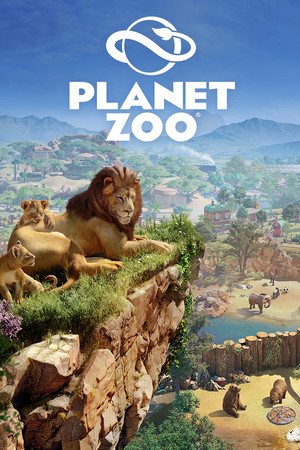
Planet Zoo Save File 100% – All Franchise Zoos 100% + All Animals Unlocked
100% complete save file for Planet Zoo PC, covering full Franchise Mode progression with every zoo location unlocked and built out to a high star rating, every animal species from the base game and all Animal Pack / Community Pack DLC bred into large, genetically diverse and enrichment-happy populations, conservation research fully completed, and every Steam achievement unlocked.
| Game | Planet Zoo |
| Developer | Frontier Developments |
| Platform | PC (Steam) |
| Version | Latest (all DLC) |
| Completion | 100% — All Franchise Zoos + All Animals |
| Animal Species | 180+ (base game + all DLC) |
| Steam App ID | 703080 |
| Save Path | C:\Users\[Username]\Documents\Planet Zoo\Save\ |
| Save Files | career.zooSave / franchise.zooSave |
| File Size | ~250 MB (ZIP) |
| Last Updated | July 2026 |
Important: Planet Zoo's Franchise Mode links save data across all your zoos through a shared franchise file. Back up your existing Save folder completely before copying anything over — restoring individual zoo files without the matching franchise data can cause the game to report missing or corrupted saves.
C:\Users\[YourUsername]\Documents\Planet Zoo\Save\ (paste into Windows Explorer)..zooSave files for each zoo.Save folder, replacing existing files with matching names.Note: Franchise Mode is Planet Zoo's persistent, cross-zoo career layer — animals, conservation points, and franchise value carry over between zoo locations within it. If you only play Career Mode or Sandbox, you can ignore the franchise files and just load the individual scenario .zooSave files included in the pack instead.
C:\Users\[Username]\Documents\Planet Zoo\Save\, split between Career Mode scenario saves, Franchise Mode saves, and Sandbox saves, all using the .zooSave extension. Steam App ID 703080..zooSave files.Planet Zoo is a construction and management simulation game developed by Frontier Developments, released in November 2019 as a spiritual successor to Zoo Tycoon. Players design and manage zoos, balancing realistic animal welfare simulation (habitat size, terrain variety, enrichment items, social needs) against the practical demands of running a profitable, guest-friendly attraction, all rendered with Frontier's detailed piece-by-piece building tools inherited from the Planet Coaster engine.
The game's standout feature is its animal welfare model: each of its 65+ (and, with DLC, 180+) species has individually simulated needs around habitat terrain, enrichment, social grouping, and genetics, with a full breeding and genetic diversity system meant to mirror real conservation biology. Franchise Mode layers a persistent meta-game on top, letting players manage a network of zoos, trade animals between them via a in-game marketplace, and earn Conservation Credits used to protect endangered species in the wild — one of the more distinctive systems in the management-sim genre.
Since launch, Frontier has released a long line of DLC packs, each adding real-world animal species grouped by region (Arctic, South America, Southeast Asia, Australia, Grasslands, Aquatic, and more) along with matching scenery and Career Mode scenarios. Reaching full completion means finishing every Career scenario, building out a thriving Franchise network with maxed conservation progress, and successfully breeding every owned species into healthy, sustainable populations — an undertaking that can span 150+ hours for players who own the full DLC catalog.