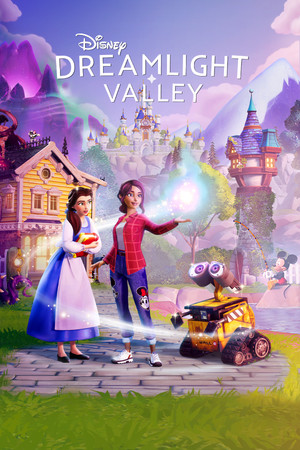
Disney Dreamlight Valley Save File 100% – All Realms Unlocked + Max Friendships + All Recipes
100% complete save file for Disney Dreamlight Valley PC. Every character realm is unlocked, all Disney and Pixar character friendships are maxed, every cooking recipe and furniture item is unlocked, and the village level is fully maxed.
| Game | Disney Dreamlight Valley |
| Developer | Gameloft |
| Platform | PC (Steam) |
| Version | Latest (current chapter) |
| Completion | 100% — All Realms + Max Friendships + All Recipes |
| Steam App ID | 1401590 |
| Save Path | C:\Users\[Username]\AppData\Local\Dreamlight Valley\Saved\SaveGames\ |
| Save File | Save slot folder (cloud-synced by default) |
| File Size | ~5 MB (ZIP) |
| Last Updated | July 2026 |
Important: Disney Dreamlight Valley relies heavily on cloud save syncing. Disable automatic cloud sync where possible before replacing local files, and back up your existing save slot first — some progress may also be tied to your linked account and not fully overwritable offline.
%localappdata%\Dreamlight Valley\Saved\SaveGames\.Cloud save considerations: Disney Dreamlight Valley links progress to your platform account and syncs frequently, which can make purely local save-file replacement less reliable than in fully offline single-player games. Disabling cloud sync where the game allows it before replacing files gives the best chance of the changes sticking.
C:\Users\[Username]\AppData\Local\Dreamlight Valley\Saved\SaveGames\. Steam App ID 1401590.Disney Dreamlight Valley is a life-simulation adventure game developed by Gameloft, released in early access in September 2022 and fully in December 2023. Players restore a magical valley connecting many different Disney and Pixar realms, blending Animal Crossing-style life-sim mechanics — farming, cooking, decorating, fishing — with light adventure quests tied to beloved franchise characters.
Progression revolves around unlocking new realms (each themed after a specific Disney or Pixar property, from Frozen's Arendelle to Toy Story's Andy's neighborhood), building friendships with resident characters through quests and gifts, and steadily expanding the village's population, decor, and available recipes.
Gameloft has supported the game with regular free content updates and paid expansion packs adding new realms and characters, moving the game from its games-as-a-service-adjacent Early Access model into a more traditional full release with ongoing seasonal content.