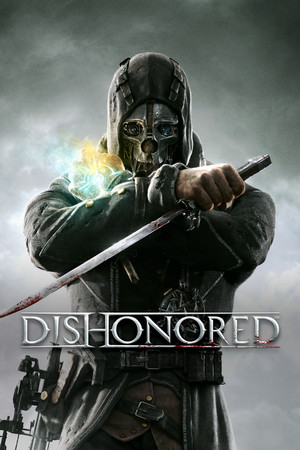
Dishonored Save File 100% – All Endings + DLC
Completed save file for Dishonored – Definitive Edition on PC. Corvo's story is finished on both Low Chaos and High Chaos, every rune and bone charm has been collected, all powers are maxed and every Piero upgrade is bought. Daud's campaign across The Knife of Dunwall and The Brigmore Witches is finished too, with a save at the start of every mission.
| Game | Dishonored |
| Platform | PC (Steam) |
| Steam App ID | 205100 |
| Completion | 100% — Both Chaos Endings + Daud DLC |
| Game Version | Latest |
| File Format | Dishonored save files (Steam remote folder) |
| File Size | 35 MB (ZIP) |
| Saves Included | Low Chaos + High Chaos endings, mission select saves, Daud DLC saves |
| Last Updated | October 15, 2026 |
Important: Back up your Steam save folder before copying anything, and disable Steam Cloud for Dishonored first or Steam may overwrite the new saves with your cloud copy.
C:\Program Files (x86)\Steam\userdata\, enter the folder with your Steam user ID, then 205100\remote\.remote folder.remote, replacing when prompted.Dishonored keeps a separate save for the start of every mission, so the pack doubles as a mission-select: replay Lady Boyle's Last Party or the Flooded District without starting a new game.
Steam\userdata\<user-id>\205100\remote\. Non-Steam copies use %USERPROFILE%\Documents\My Games\Dishonored\DishonoredGame\SaveData\.Dishonored is a first-person stealth action game developed by Arkane Studios and published by Bethesda Softworks in 2012. You play as Corvo Attano, the Empress's bodyguard, framed for her murder and turned into a supernatural assassin in the plague-ridden city of Dunwall.
Its levels are built as open sandboxes: every target can be eliminated or spared through non-lethal means, and the Chaos system changes the city, the rats and even the ending based on how violently you play.
Seeing both endings and every collectible takes several playthroughs. This save pack gives you completed Low and High Chaos runs, plus Daud's full DLC story, so you can explore every outcome without replaying.