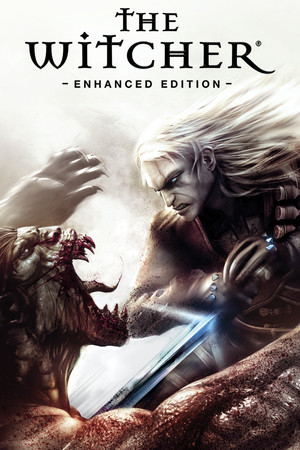
The Witcher: Enhanced Edition Save File 100% – All Chapters + All Quests
100% complete save file for The Witcher: Enhanced Edition on PC. Geralt has fought his way from Kaer Morhen through Vizima, the Swamp, Murky Waters and the Old Vizima finale — the prologue, all five chapters and the epilogue are finished, every side quest and contract is done, the bestiary and alchemy journal are complete, and Geralt is at max level with fully developed sword styles and Signs.
| Game | The Witcher: Enhanced Edition |
| Platform | PC (Steam) |
| Steam App ID | 20900 |
| Completion | 100% — All Chapters + All Quests |
| Game Version | Latest |
| File Format | .TheWitcherSave files |
| File Size | 35 MB (ZIP) |
| Saves Included | Chapter start saves + final post-epilogue save |
| Last Updated | October 25, 2026 |
Important: Back up your existing saves folder before replacing anything. The Witcher writes many quicksaves and autosaves there, and overwritten files cannot be recovered.
C:\Users\[Name]\Documents\The Witcher\saves\.TheWitcherSave files by copying them to another location..TheWitcherSave files into the saves folder.If the saves folder doesn't exist yet, launch the game once, start a new game and save in the prologue, then quit and repeat the steps. Each save comes with a matching screenshot file — copy both so the thumbnails show up in the load menu.
C:\Users\[Name]\Documents\The Witcher\saves\The Witcher is CD Projekt Red's debut RPG, released in 2007 and later reworked as the Enhanced Edition with improved translations, faster loading and new content. Built on a heavily modified version of BioWare's Aurora engine, it adapts Andrzej Sapkowski's novels into an original story about the monster slayer Geralt of Rivia.
After the witchers' fortress of Kaer Morhen is raided and their mutagens stolen by the mysterious Salamandra, an amnesiac Geralt tracks the thieves to the plague-ridden city of Vizima, getting caught in a brutal conflict between the Order of the Flaming Rose and the Scoia'tael elves.
Its timing-based combat, with fast, strong and group styles for both steel and silver swords, alchemy-heavy preparation and morally grey choices laid the foundation for the whole series. This save hands you the complete journey, every quest done, ready to revisit any chapter.