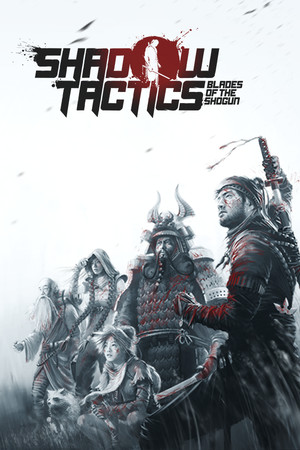
Shadow Tactics: Blades of the Shogun Save File 100% – All Missions & Badges
100% complete save file for Shadow Tactics: Blades of the Shogun on PC. The conspiracy against the Shogun has been uncovered — all 13 missions are finished on Hardcore difficulty, every mission badge (speedrun, no alarms, no kills and the mission-specific challenges) has been earned with Hayato, Mugen, Yuki, Aiko and Takuma, and every level is unlocked for free replay.
| Game | Shadow Tactics: Blades of the Shogun |
| Platform | PC (Steam) |
| Steam App ID | 418240 |
| Completion | 100% — All Missions on Hardcore + All Badges |
| Game Version | Latest |
| File Format | Shadow Tactics save data (gameState) |
| File Size | 6 MB (ZIP) |
| Saves Included | Full profile (all missions complete + replay saves) |
| Last Updated | November 21, 2026 |
Important: Back up your existing Shadow Tactics save folder first. The game stores the whole profile inside a numbered folder for your Steam account, so replace the contents of your own ID folder.
%LOCALAPPDATA%\Daedalic Entertainment GmbH\Shadow Tactics Blades of the Shogun\ and open the numbered folder inside (your Steam ID).gameState_00 folder by copying it elsewhere.gameState_00 folder into that location, overwriting if prompted.If the folder doesn't exist yet, start the first mission and quicksave once so the game creates it. Disable Steam Cloud temporarily if your old profile keeps coming back.
C:\Users\[Name]\AppData\Local\Daedalic Entertainment GmbH\Shadow Tactics Blades of the Shogun\[SteamID]\gameState_00\Shadow Tactics: Blades of the Shogun is Mimimi Games' real-time stealth tactics game set in Edo-period Japan around 1615. A new Shogun has brought peace to the land, but a mysterious rebel named Kage-sama threatens it, and the Shogun's agent Hayato assembles a team of specialists to stop the conspiracy.
You control up to five characters — the ninja Hayato, the samurai Mugen, the young thief Yuki, the disguise expert Aiko and the old sniper Takuma — each with unique skills. Shadow Mode lets you queue up actions for several characters and fire them at the exact same moment, which is the key to clearing well-guarded castles, villages and fortresses.
Every mission has a set of challenge badges that ask you to play it in very specific ways, and earning them all on Hardcore is a serious challenge. This save has the whole campaign and every badge done, so you can replay any mission just for fun.