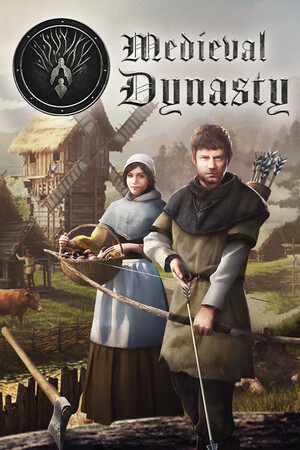
Medieval Dynasty Save File 100% – Max Village + All Technologies
100% complete save file for Medieval Dynasty on PC. The main story in the valley is finished, every technology in Building, Survival, Hunting, Farming, Animal Husbandry and Production is unlocked, every building type is constructed in a fully populated village, all skills are maxed, and your character is married with an heir ready to carry on the dynasty.
| Game | Medieval Dynasty |
| Platform | PC (Steam) |
| Steam App ID | 1129580 |
| Completion | 100% — Story + All Technologies |
| Game Version | Latest |
| File Format | SaveGames folder (.sav files) |
| File Size | 18 MB (ZIP) |
| Saves Included | Late-game save (The Valley) + fresh Oxbow start with unlocks |
| Last Updated | October 25, 2026 |
Important: Back up your existing SaveGames folder before replacing anything. Medieval Dynasty keeps all of your slots, including co-op worlds, in the same folder, so overwritten files cannot be recovered.
C:\Users\[Name]\AppData\Local\Medieval_Dynasty\Saved\SaveGames\ (press Win + R and type %LOCALAPPDATA%\Medieval_Dynasty\Saved\SaveGames).SaveGames by copying them elsewhere..sav files into SaveGames, overwriting files only if you want to replace a slot.If the SaveGames folder doesn't exist yet, start a new game, wait for the first autosave (or sleep in a bed to save), quit, then repeat the steps. Disable Steam Cloud temporarily if the game keeps restoring your old save.
C:\Users\[Name]\AppData\Local\Medieval_Dynasty\Saved\SaveGames\Medieval Dynasty is a survival, life-simulation and city-building game developed by Render Cube and published by Toplitz Productions, fully released in 2021 after a year in Early Access. Set in an early medieval Slavic land, you arrive in a valley as a young man fleeing war with nothing but the clothes on your back.
From there you hunt, farm, craft and build, gradually turning a single hut into a full village. You recruit villagers, assign them jobs, manage seasons and harvests, and earn technology points through everyday work to unlock new buildings and tools. Later updates added the larger Oxbow map and online co-op.
The long-term goal is your dynasty: marrying, raising an heir and growing a settlement that survives you. This save hands you that endgame — the story done, every technology unlocked and a thriving village ready to expand further.