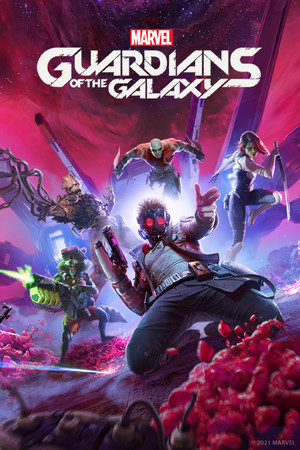
Marvel's Guardians of the Galaxy Save File 100% – All Chapters + All Outfits
Complete save file for Marvel's Guardians of the Galaxy on PC. Star-Lord and the team have saved the galaxy — all 16 chapters are finished, every outfit and collectible is found, all abilities for every Guardian are unlocked and every perk has been crafted at the workbench.
| Game | Marvel's Guardians of the Galaxy |
| Platform | PC (Steam) |
| Steam App ID | 1088850 |
| Completion | 100% — All Chapters + All Outfits |
| Game Version | Latest |
| File Format | Steam save (.dat) |
| File Size | 2 MB (ZIP) |
| Saves Included | Completed profile with chapter select |
| Last Updated | November 1, 2026 |
Important: Back up your current save files before replacing them, and disable Steam Cloud for Marvel's Guardians of the Galaxy temporarily — this game keeps its saves inside Steam's userdata folder, so Steam Cloud will overwrite them otherwise.
C:\Program Files (x86)\Steam\userdata\[SteamID]\1088850\remote\gotgsavegame*.dat files by copying them elsewhere.gotgsavegame*.dat files into remote and overwrite when prompted.If you have more than one folder inside userdata, pick the one that contains a 1088850 folder — that's your account. Save files are numbered starting at gotgsavegame0000.dat.
C:\Program Files (x86)\Steam\userdata\[SteamID]\1088850\remote\%APPDATA%\Epic\Eidos Montreal\Marvel's Guardians of the Galaxy. This file is made for Steam and may not load there.Marvel's Guardians of the Galaxy is a 2021 single-player action-adventure game from Eidos-Montréal. You play Peter Quill, Star-Lord, the leader of a group of misfits — Gamora, Drax, Rocket and Groot — who are always one bad idea away from disaster. A plan to make some quick money goes wrong, and soon the team is caught up in a threat to the whole galaxy.
You control Star-Lord directly, with his blasters and jet boots, while giving orders to the other Guardians in real time to combine their attacks. Huddle mode lets you rally the team in the middle of a fight with a pep talk set to an 80s soundtrack. Your choices in conversations change scenes and how the team reacts to you.
The game is known for its writing and the constant chatter between the team members. This save gives you all 16 chapters finished, every outfit and collectible found and all abilities and perks unlocked.