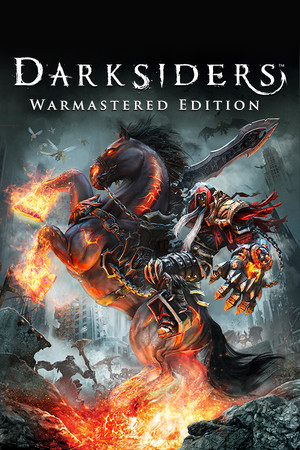
Darksiders Warmastered Edition Save File 100% – All Items & Upgrades
100% complete save file for Darksiders Warmastered Edition on PC. War has had his revenge — the campaign is finished on Apocalyptic, the full Abyssal Armor set is assembled, every Lifestone and Wrath Core is collected, all artifacts have been traded to Vulgrim, and every weapon from the Chaoseater to Harvester and Mesmer is maxed with all moves purchased. A save just before the final fight with The Destroyer is included too.
| Game | Darksiders Warmastered Edition |
| Platform | PC (Steam) |
| Steam App ID | 462780 |
| Completion | 100% — All Collectibles, Apocalyptic |
| Game Version | Latest |
| File Format | Darksiders save game (.dsav) |
| File Size | 1 MB (ZIP) |
| Saves Included | 2 saves (post-game free roam, before The Destroyer) |
| Last Updated | November 16, 2026 |
Important: Back up your existing save folder first. Copying files with the same name will overwrite your current game.
C:\Program Files (x86)\Steam\userdata\[SteamID]\462780\remote\remote folder, overwriting if prompted.Steam Cloud syncs this folder, so turn off Steam Cloud for the game (right-click it in your library → Properties → General) before copying, or your old save may be restored on launch. If you have several folders inside userdata, the right one is the one that contains a folder named after the game's App ID.
C:\Program Files (x86)\Steam\userdata\[SteamID]\462780\remote\Darksiders Warmastered Edition is the 2016 remaster of Vigil Games' 2010 action-adventure, with higher-resolution textures, improved shadows and full 4K support. You play War, one of the Four Horsemen, accused of starting the Apocalypse too early and sent back to a ruined Earth to find out who framed him.
The game mixes hack-and-slash combat with Zelda-style dungeons. War collects tools like the Crossblade, Abyssal Chain, Earthcaller and the portal-shooting Voidwalker, each opening new routes, and spends souls with the demon merchant Vulgrim on new moves and weapons.
Finding every Lifestone, Wrath Core, artifact and Abyssal Armor piece means a lot of backtracking. This save has done it all on Apocalyptic, so you can enjoy War at full power or go straight into Darksiders II.